Showing posts with label Finance. Show all posts

Wednesday, July 12, 2017

How To Earn Money While Losing Weight?

Hit two birds with one stone!


While queuing in BPI to make a transaction, I noticed there campaign video for BPI-Philam. They featured an app called Philam Vitality Active App where you can earn rewards while working out. Great way to get (sort of) free stuffs!


Step 1. Download Philam Vitality Active App from Playstore or Apple Store
Step 2. Sign up, Promo Code: bplacwtm
Step 3. Work you butt out. Walk, jog, lift weights and push for that 250 points. Below is how your points calculated.


If you accumulate 250 points for two consecutive weeks, you earn rewards.

For more information, visit:
https://www.philamlife.com/content/dam/ph/en/docs/faqs/philam-vitality-active-faqs.pdf


References:

Monday, May 8, 2017

How To Get Your Airfare for Half the Price?


Free stuff! Who doesn't want one, right? If you can get half of the airfare price for free, that is a chance you should not pass. But would you be able to do that exactly?

Disclamer: I am not a Credit Card promoter/agent or whatever. If you are interested, contact the bank or there are so many agents promoting in malls. Just make sure it is a Cashback or Rewards type of card.


Almost a year ago, I changed the way I look at a credit card. It's not credit for me, it is POINTS. I use it not to buy things that so expensive that I "needed" to borrow money, I use it to pay regular bills that I will pay for anyway in cash or at the bank. In this way, I earn so much points monthly without going out of my budget because, IT IS MY BUDGET.

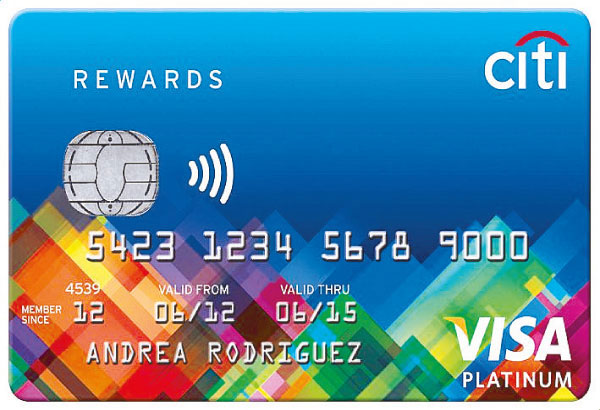
If you want to know more about this habit that I have adapted, proceed here. I am using a Rewards Card from Citibank and so far, I have accumulated 53,000+ in one year! Because of this, I have booked a flight to Korea for about PHP 6,000 instead of  PHP 12,000 (with tax). And note that, I booked this only 3 weeks before that actual flight.

If you are interested for a packaged tour in Seoul, South Korea, Trazy.com is a good source for discounted tours!


trazy.com

Friday, March 10, 2017

How To Pay SkyCable/SkyBroadband/SkyBundle Using Your Credit Card?

NOTE: This post is for Citibank credit card


In able to pay your SkyCable bill online, you should first add it as a merchant. For SkyCable, you only need your account number to add it as a merchant on Citibank Online payment system.

Here's how to add:

Step 1. Go to https://www.citibank.com.ph/ then log in to your account.


Step 2. Proceed to Payment and Transfers. Then select Add Payee under Manage Payee menu.


Step 3. Click Search, click View Merchant or you can type in SkyCable in the search box.

Step 4. Choose your Payee Type. Set a nickname to your merchant so that you can remember it better. Enter the Account number in your SkyCable bill. Click Next to confirm.


To pay:

Step 5. Click Pay Utility Bills.

Step 6. Select the merchant/mickname which is SkyBundle - Ella XXXXXXX then enter the amount due. Click Next.


Step 7. Click Confirm and Pay.

You're done! Or you can view your record then email it to your registered email address.


Wednesday, April 6, 2016

How To Earn Extra Money (Online and Offline)?


Want to be your own boss and earn money? Who doesn't, right? You might be surprise to find a wide range of ways to earn money while not being an employee of some sort. Not everybody wants to be employed, not forever at least. But how could you let go of the job if you need income.

Because of the birth of the internet, not to mention, the social media, this is now easier to achieve.

These are not ranked according to any criteria.

1. Monetize a blog
Investment: Patience and skills


What you need: Internet connection, blog, AdSense account


2. Invest in stocks
Investment: Minimum of 5K


What you need: Money, Stock broker platform
Think that stocks is intimidating if you don't have a financial education background? Wrong. If you are aiming for long term investment, all you need to do is open an account, buy some good stable stocks and you are good to go. One of the leading stock broker platforms in the country is COL Financial. Their office is in Ortigas and it only takes 15 minutes to open an account with them, here is a step by step guide for beginners


3. Sell your old items
Investment: Time


What you need; Pre-owned items, websites like eBay.com, OLX.com
Decrease the clutter, increase your money. May it be clothing, books, gift items, appliances, sell them all! You'd be surprise.
If you have the space to hold a garage sale, you could do this also.

4. Sell your photos
Investment: Photos


What you need: Quality photos
Quality photos meaning with quality content not hd quality. Although, that is a plus too. There are websites and apps that let you sell your photos and gives you a cut whenever someone downloads it. Some apps are shutterstock and eye-em.

5. Freelancing
Investment: Skills


What you need: Website to advertise you skill


6. Attending in research market discussions
Investment: Opinion


What you need: Invitation to a focus group discussion

Tuesday, April 5, 2016

How To Pay Meralco Bills Through BPI Express Online?

The steps below shows how to pay Meralco bills using your BPI Express Online. This only works for those who already have a BPI Express Online account. Also note that overdue Meralco bills CANNOT be paid thru this method. For Metrobank, proceed here.


Step 1. Sign in to https://secure1.bpiexpressonline.com/AuthFiles/login.aspx?URL=/direct_signin.htm


Step 2. Make sure MERALCO is enrolled as a biller, here's how. Proceed to Payments and Reloading > Pay Bills Today


Step 3. Fill up the required information. ATM/Reference Number can be found at the bottom left of the Meralco bill.

Step 4. Double-check the information you entered Click submit and confirm.

For questions, please feel free to leave a comment or call BPI hotline.

Sunday, April 3, 2016

How To Pay Your Meralco Bill Using Your Credit Card?


NOTE: This post is for Citibank credit card

By enrolling your merchant to your credit card, you also earn points. You earn something from something you will pay anyway monthly. Hello, reward points! Then, you can use those points to book a flight! Here's how I booked a flight to South Korea for half the price using my earned points throughout a year. :) Just make sure to pay your credit card bills ON TIME!

Unlike any other merchants in Citibank online (Sky, Globe, Smart), Meralco changes your reference number every month so you cannot enroll it permanently in your Citi account. Instead, you have to treat it as a One Time Bill Payment.

Here's how:

Step 1. Go to https://www.citibank.com.ph/ then log in to your account.


Step 2. Proceed to Payment and Transfers. Select One Time Bill Payment from the To Account dropdown box.

Step 3. Click Search, click View Merchant or you can type in Meralco in the search box.

Step 4. Enter the ATM/Phone Reference No. in your Meralco bill. It is located at the bottom left part of your bill.


Step 5. Click Confirm and Pay.

You're done! Or you can view your record then email it to your registered email address.


Thursday, March 31, 2016

How To Enroll Utility Bills To Your Credit Card?


NOTE: This post is for Citibank credit card holders.

First of, these are the merchants you can enroll to your Citibank credit card.


The advantages of doing this are convenience and money. If your card is a reward card or cash back card, you will benefit most from this one because you will be getting points for the bills you must pay every month anyway. You are paying monthly mandatory bills, so why not get rewarded or paid for it, right? An addition to the list of how to save money!

To enroll a merchant to a Citibank credit card, below are the steps. I am pretty sure some credit card companies allow this also.

Step 1. Go to https://www.citibank.com.ph/ . If you don't have an account yet, register first.

Step 2. Once logged in, proceed to the Payment and Transfers tab at the top part of the page.

Step 3. Proceed to Manage Payee List. The site will then prompt you to enter the OTP code sent to your phone. After the OTP code is verified, click Add Payee.


Step 4. Click Search, then View all merchants. Select the merchant you want to enroll.


Step 5. Enter your account number for that merchant. Tip: Double-check the numbers. Then click Next.


Step 6. Check again then click Confirm.

Step 7. A notification will tell you that the enrollment is successful. You can now pay your bills using your credit card and get rewards for it!


UPDATE:
For some merchants like Meralco, you cannot enroll/save Meralco as the merchant because your reference number changes every month. I have called Citibank hotline and they told me that you must proceed to One Time Bill Payment. Here's how to pay your Meralco bills using Citibank credit card.

For other questions, feel free to comment. :)

Friday, February 12, 2016

How To Save Money the Simplest Way? (For Young Professionals)


These are tips for yuppies (and not so young) in the Philippines to save money in the simplest ways possible. These are really realistic ways that you CAN do in a developing country like ours without being a cheap and an impractical person.

1. Pack lunch.
I started on meal prepping recently, the one you prepare all your food for the next 5 days during Sundays, and I only spend 55-70 pesos per day for my lunch. A balanced one actually, thank you very much. I know that there are meals out there that cost the same as my packed one and more convenient to buy but are they healthy *ehem*Jolibee*ehem*7-eleven*ehem*?

2. Walk.
End of the day, you just want to lie down in your bed THE.FASTEST.WAY.POSSIBLE. so tap your Grab or Uber app. If you live close enough, think twice before booking because you can save up to 120 pesos a day if you walk and you will at the side, shed some pounds.

3. Brew your coffee.
Whether you brew your coffee at home and bring it to work or you bring your own coffee maker at work (I have seen this), it is much more practical than buying at the coffee shops.

4. Avoid going to the mall.
Those clothes, bags, shoes, techie stuffs calling out to you... need I say more? Additionally, avoid going to an e-mall. And by that I mean, online shopping stores. Who needs a voucher to a buffet that will be forgotten and eventually expire anyway?

5. Magnify.
120 pesos a day for a cab ride is a small thing but, that's 3,600 in a month, 43,200 in a year. You could already buy a decent smart phone with that. Think about this for that small amount you spend everyday or on a regular basis, it is lifestyle-changing.


UPDATE:
6. Use your credit card  to earn money.
If you have a reward or cash back credit card, the company will give you points or rebates when you purchase using their card. So what I realized is that, credit card is not bad if you use it to your advantage. Say use your credit card to pay your bills. These are expenses that you really pay monthly, so why not use your credit card to do that. But be sure to pay it immediately. More on that here.

For any additional tips, please feel free to comment! :)

How To Open A COL Financial Account? (For Beginners)


Stocks are not just for the rich people but you can be one of the rich people if you invest in stocks.
To invest in stocks, you must first open an account in a stock broker platform like COL Financial. There are two ways in which you can open an account in COL - 1) going to their office 2) mailing them the requirements thru LBC.

Going to their office:

Step 1: Fill out their registration form. This is downloadable at their site or available at their office. I suggest you just download, print, and fill it up to save time.

Step 2: Photocopy a government ID.

Step 3: Go to their office at Ortigas.


Step 4. Submit the requirements, wait for a few (and I really mean a few!) minutes and an email will be sent to you containing your account number.

Step 5: Done. You are now ready to fund your account.


Mailing them the requirements

Follow Steps 1-2

Step 3. Mail them the requirements thru LBC.

Step 4. They will contact you for a Skype meeting to verify your credentials.

Step 5: Wait for their email containing your account number.

Step 6: Done. You are now ready to fund your account.

For any questions, please feel free to comment! :)

How To Enroll Citibank Credit Card To BPI Express Online?


Ever wondered how you can pay your Citibank credit card other than going the bank itself and pay over the counter? With limited branches of Citibank in the metro, it is a struggle to go the physical bank to not miss your payment due date.

Fortunately, Citibank has a number of local banks (BDO, BPI, Metrobank) as partners here in the Philippines. You can see different ways of paying your card in the Citibank website.

Experience the convenience of paying your Citibank credit card online through a third party online bank by following these steps:


Step 1. Unlike the usual enrollment of a merchant in BPI Express Online, you must go to the nearest branch of BPI and request for an enrollment form. It is not necessary to fall in line and get a number, just ask in the account opening section for the form.

Step 2. Fill up the form with your BPI account number, card number, name, and type of card.

Step 3. Submit the form at any branch in the account opening section again.

Step 4. Wait for 24 hourrs, then you should now see your card as a merchant in the 'Bills Payment' section of BPI Online.

For any questions, please feel free to comment. :)

Monday, October 5, 2015

How To Pay Meralco Bills Using Metrobank Direct?


The steps below shows how to pay Meralco bills using your Metrobank Direct. This only works for those who already have a Metrobank Direct account. Also note that overdue Meralco bills CANNOT be paid thru this method. For BPI Express Online, proceed here.

Step 1. Log in to Metrobank Direct https://personal.metrobankdirect.com/.


Step 2. Salect to 'Pay Bills' located at the left side of the screen.


Step 3. In the Pay Bills page, Select Utilities for the Category, Meralco for the Biller, then enter the ATM/Phone Reference No. found in the lower left part of your Meralco Bill (location of Reference Number shown below) both in the Subscriber Account No AND Reference No. fields. Click Continue.


Step 4. Check the information you entered and click Confirm.


You can check all your transactions in the Security Tools menu in the upper part of the page and then select Transaction History.

If you have any questions, please feel free to drop a comment below. :)

Friday, October 2, 2015

How To Open a BPI Online Account?


If you want to enjoy the convenience of BPI online banking, follow the steps below:
Step 1. Go to https://www.bpiexpressonline.com/direct_applynow.htm. Select the type of bank you would like to make an online account for.

Step 2. Select the type of account you would like to make an online account for. Click Continue.

Step 3. Select your residency. Click Continue.

BPI Online Enrollment
Step 4. Please select 'I Agree' to the Internet Banking Service Agreement.


Step 5. Enter your account details. Click Submit.


Step 6. Enter personal information and login details. Click Submit.


Step 7. Express Online Confirmation will be shown. An email confirmation will also be sent to the email you used to register. Follow the steps in the confirmation page or in the email sent.


Congratulations! You now have a BPI online account that you can use to pay your bills, load your mobile, transfer funds, and more.

If you have questions, feel free to leave a comment below. :)